
Play VALORANT.
RankR fills in the rest.
RankR Companion is a small, free Windows app. After every game it puts your match and your rank on your RankR profile, and if you want, it saves your best plays as clips.
- Version
- 0.19.9 · 46.6 MB
- Works on
- Windows 10 and 11, 64-bit
- Updates
- Itself, every update signed
- Installs
- Just for your Windows user
- Price
- Free, part of your RankR account
What it reads, and what it never touches
It works like a screen recorder and a stats tracker, never like a mod. The game itself is never part of it.
What it reads
- Your matches and rankFrom the Riot client signed in on your PC, for your own account.
- Your screen during a matchOnly if you turn on auto-clipping, with the same Windows capture feature OBS and Xbox Game Bar use. It stops when the match ends.
- Replay files you downloadIn VALORANT, opened as ordinary files after the match.
- The ranks in your lobbyDuring agent select, shown on your screen only. RankR never saves them.
What it never does
- Touch the game or its memoryNo access to the VALORANT process, its memory or its install folder: nothing Vanguard protects.
- Inject or hook anythingNo code inside the game, no DirectX hook, nothing drawn into the game.
- Play for youIt never presses a key or moves your mouse.
- Record your microphoneIt never opens one. Game audio is off until you switch it on.
- Look at your storeYour shop and your skins are never read.
Your clips stay on your PC until you press Post on one.
What you get
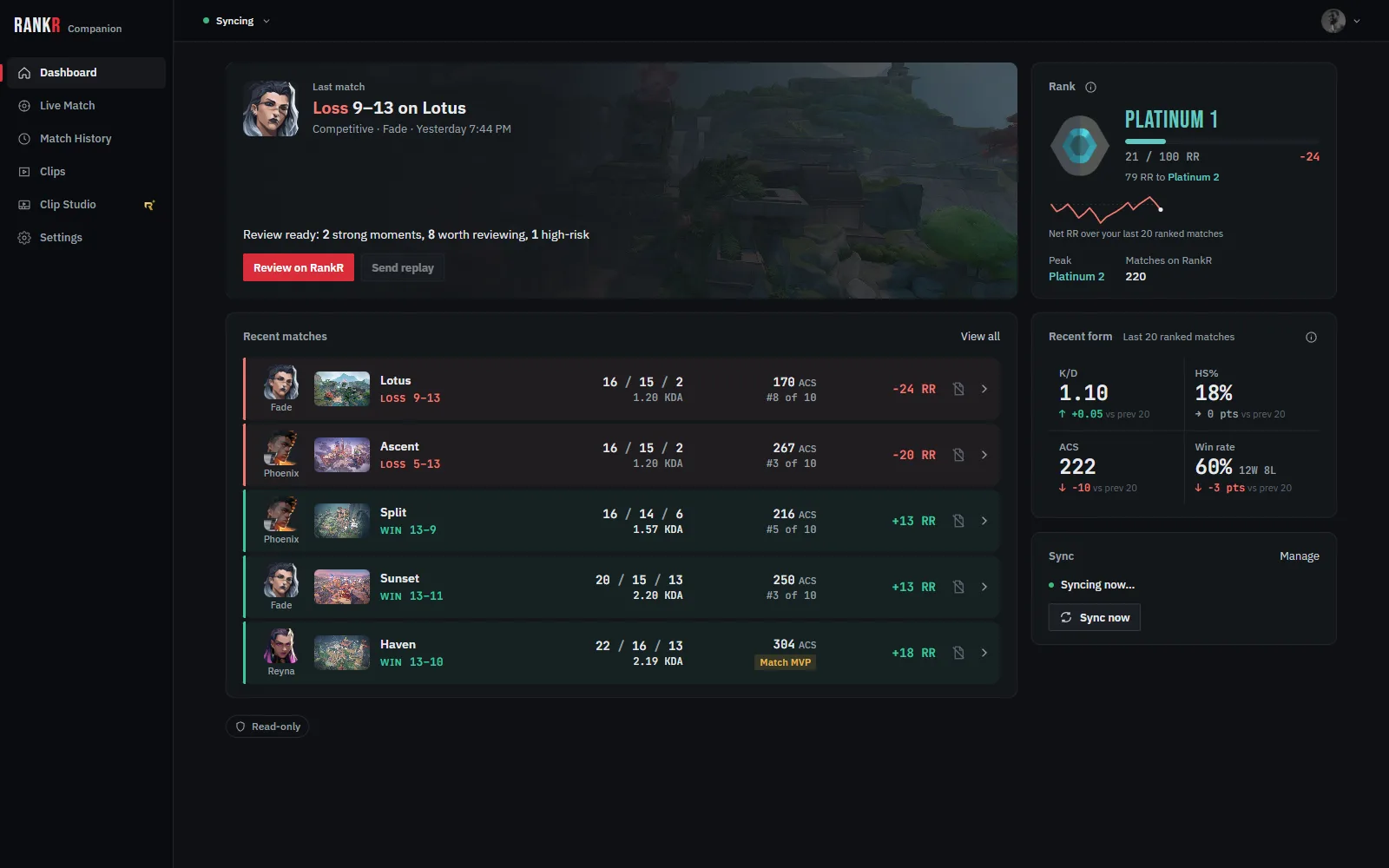
Your rank and matches, filled in for you
A few minutes after each game, the match and your rank appear on your RankR profile, straight from your Riot client. Nobody types a rank in, including you.
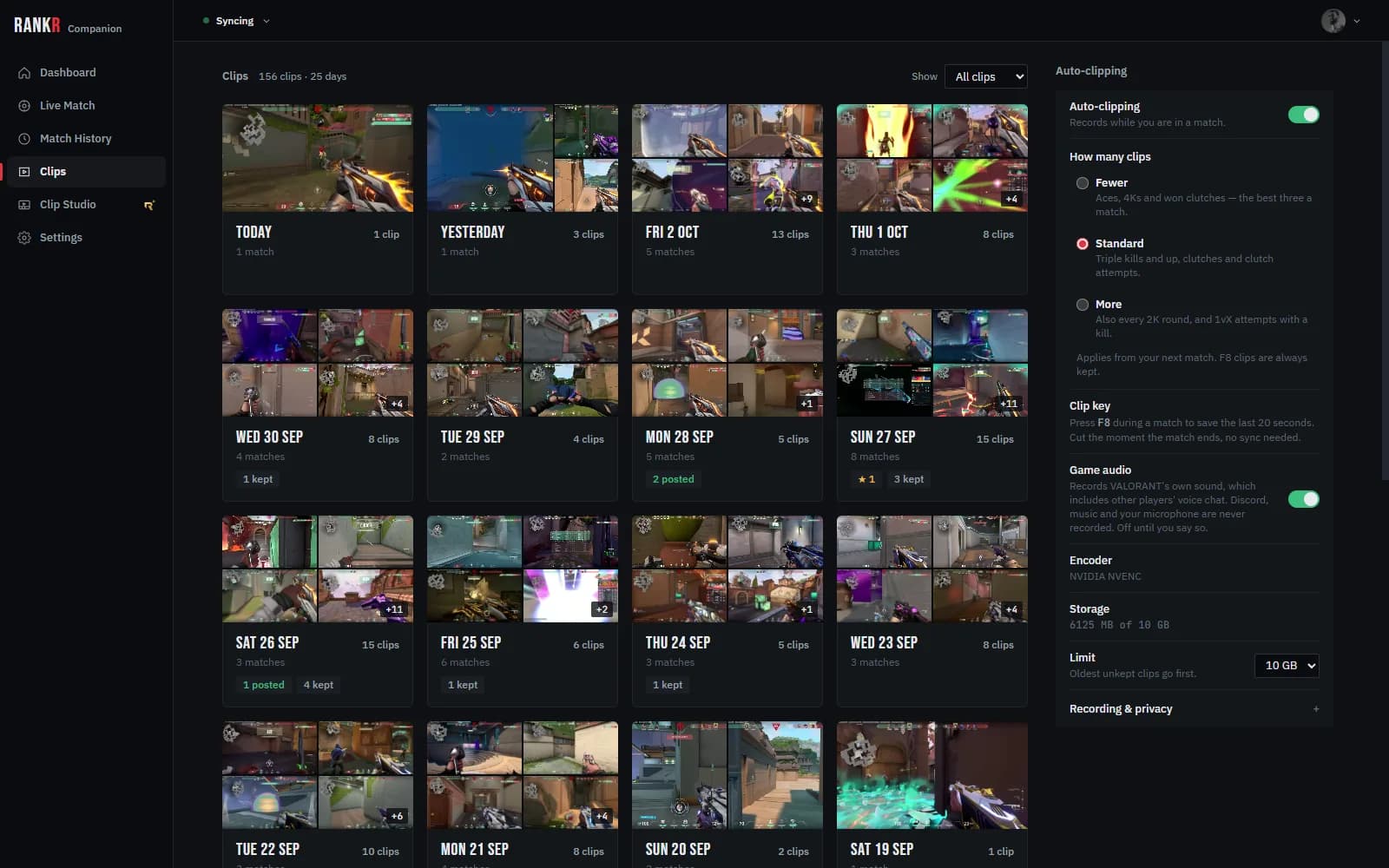
Your best plays, already cut
Switch on auto-clipping and it records your matches, then cuts your aces, multikills and clutches when the match ends. Press F8 in a match to keep the last 20 seconds yourself.
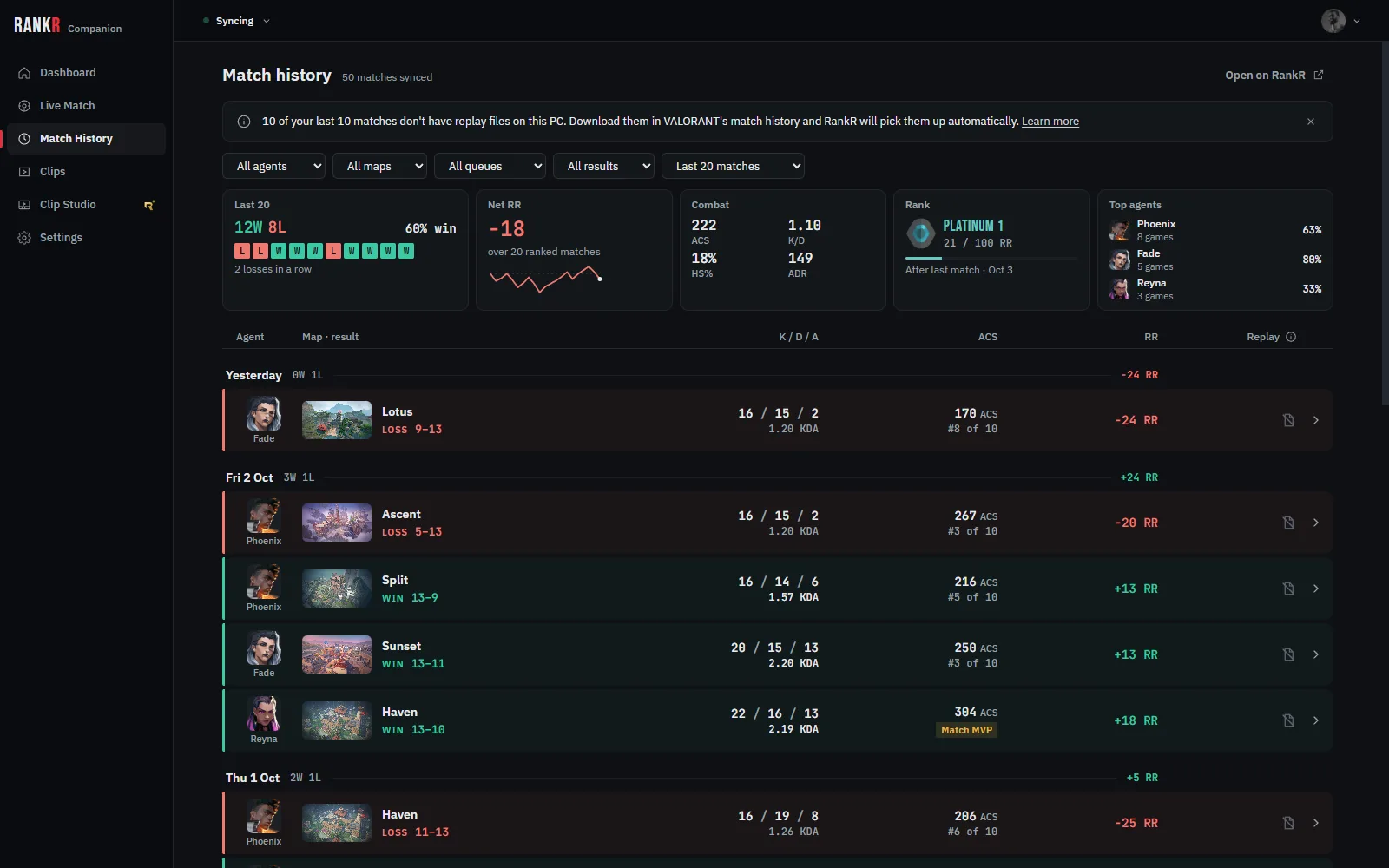
Every match, kept
Your match history on your PC, and the same matches on RankR, where Stats and Insights turn them into something you can work on.
Installing it
Open the installer
Run the file you downloaded.
If Windows shows a blue warning
The installer is signed, but RankR Companion is new and SmartScreen may not know it yet. Choose More info, check that a publisher is named (not "Unknown publisher"), then choose Run anyway. If it says Unknown publisher, don't run it, and email admin@rankr-social.com.
Sign in with your RankR account
The same email or username and password you use here, or pair it from your browser with the code it shows.
Play
Leave it running and launch VALORANT as usual. Matches appear on your profile a few minutes after each game. Turn on auto-clipping in the Clips tab if you want clips.
Uninstalling
Open Windows Settings → Apps → Installed apps, find RankR Companion and choose Uninstall. That removes the app.
Your clips and settings stay in %APPDATA%\RankR Companion, so a reinstall picks up where you left off. Delete that folder to remove them too. To end the app's access to your account, remove the PC from your RankR account page.
Privacy
What leaves your PC: your match data and rank from Riot's client, whether you're in a game, the round positions in replay files you downloaded, a short note on whether each recording worked, numbers about your aim if you switch on Film, and the clips you choose to post.
What never does: your recordings, your screen, your microphone and the rest of your files. More in the Privacy Policy.
Before you install it
Is RankR Companion safe to use?
It never interacts with VALORANT. It reads your own Riot client the way any tracker does, and records your screen using Windows' own capture API, the same one OBS, Xbox Game Bar and Discord screen-share use while you play. Nothing it does is the kind of thing anti-cheat looks for, because the game is never a participant.
Does RankR Companion modify VALORANT?
No. It does not inject code, hook DirectX, draw anything inside the game, press keys or move the mouse for you, or change any game file. Those are listed in the app's source as things it may never do, so the rule lives next to the code rather than in a promise on a page. The optional agent-select cards are ordinary Windows windows placed on top, and they are kept out of every recording.
Does RankR read game memory?
No. It never opens the game process or reads its memory. Everything it knows comes from the Riot client signed in on your PC (your matches, your rank, whether you're in a game) and from replay files you download in VALORANT, read as ordinary files after the match.
Where are my clips stored?
On your PC, in RankR Companion's own folder, and nowhere else. Nothing is uploaded until you press Post on a clip. The whole-match recording is removed once its clips are cut, so the folder does not grow without limit, and there is a storage cap you set.
Does RankR record my screen when I am not playing?
No. Clip capture is off until you switch it on, and even then recording starts when a match starts and stops when it ends. It follows your own match state, not the clock.
Is the installer signed?
Yes. Since version 0.19.2 the installer is code-signed through Microsoft, so Windows shows a verified publisher for it. Because the app is new, SmartScreen can still say "Windows protected your PC" until enough people have installed it: choose More info, check that a publisher is named (not "Unknown publisher"), then Run anyway. If it says Unknown publisher, do not run it.
Who can use RankR Companion?
Anyone with a RankR account. Sign in with the same email or username and password you use on RankR, or pair it from your browser with the code the app shows.
Does it cost anything?
No. RankR Companion is free with a RankR account: match and rank sync, auto-clipping and posting clips cost nothing. A few extras inside it, such as Clip Studio, are part of RankR+.
Does the Companion update automatically?
Yes, from version 0.4.0 onward. It checks RankR for a newer build and every package is signed against a key built into the app, so a download that has been tampered with is refused rather than installed.
Your next match, on RankR.
Free, part of your RankR account. Questions first? Email admin@rankr-social.com or ask in our Discord.